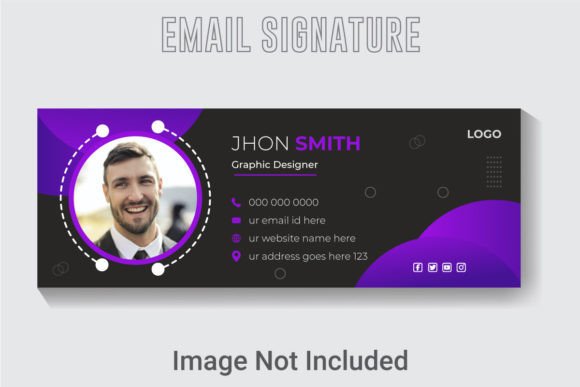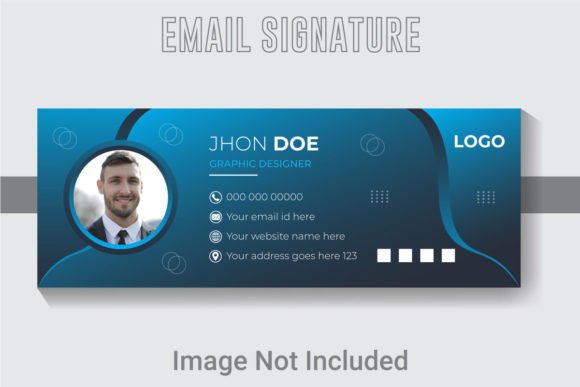
Modern Vector Email Signature Template
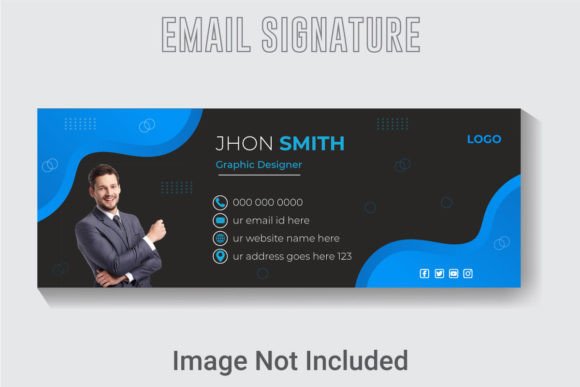
First impressions in the digital inbox matter more than you think. A polished, professional email signature does more than just list your contact details; it reinforces your brand identity with every message sent. That's where a thoughtfully crafted asset like the Modern Vector Email Signature Template comes in, offering a seamless blend of clean design and practical functionality for creators and businesses alike.
This isn't just a static image. Designed in a crisp 851x315 pixel RGB color space with a high 300 DPI resolution, the template ensures your signature looks sharp on any screen, from desktop monitors to mobile devices. The true power lies in its editability. As a fully vector-based design asset built in Adobe Illustrator CC, every element is at your fingertips. The text, fonts, and colors are completely customizable, allowing you to align the signature perfectly with your existing brand guidelines or a new creative direction.
Why a Vector Template Changes the Game
Unlike a simple JPEG, a vector file scales without losing quality. This means you can adapt the design for various uses beyond email. Think business cards, website headers, social media banners, or presentation slides. The well-layered and organized AI file structure makes these adjustments intuitive, even for those with basic design software knowledge. You're not just getting an email signature; you're acquiring a versatile piece of your brand toolkit.
Creative Applications and Practical Use Cases
The clean, modern typography and balanced layout of this template make it suitable for a wide range of professionals. It's an excellent fit for freelancers, small businesses, consultants, and creative agencies who want to project a consistent and professional image. The design's flexibility allows it to complement various brand personalities, whether you're aiming for corporate sleekness, creative flair, or minimalist elegance.
Consider using this template as a foundation for:
- Brand Identity Systems: Establish a cohesive look across all touchpoints, from your email to your logo and social media graphics.
- Editorial and Web Design: Use the clean type hierarchy as inspiration for other digital projects, ensuring visual consistency.
- Client Deliverables: Present your work with a polished, branded signature that enhances your professional presentation.
Tips for Choosing and Using Your Signature
When integrating any new design asset, a few best practices ensure success. First, always test the readability of your customized signature at a small size. The included free font is chosen for clarity, but your chosen color combinations should maintain sufficient contrast. Next, consider the mood. Does the modern, geometric feel of the template match your brand's voice? If your brand is more traditional, you might explore pairing the signature's clean sans-serif elements with a complementary serif font for other materials.
The package includes both AI and EPS files, giving you flexibility in your design software of choice. The high-resolution JPG is perfect for quick previews or for use in applications where vector editing isn't possible. Before finalizing, ensure the license of any included font aligns with your intended commercial use.
Investing in a high-quality, editable template like this streamlines your workflow and elevates your brand's digital presence. It transforms a routine element of communication into a powerful tool for brand recognition and professional credibility. By choosing a design asset that is both beautiful and built for practical use, you make a small but significant investment in how your business is perceived every single day.